Support Statement: Proprietary Designers (e.g. ActiveReports)
The Proprietary Designer Problem
Section titled “The Proprietary Designer Problem”Every Visual Basic programmer is familiar with the idea of an interactive designer. For example, User-Defined Forms and UserControls are created and edited using VB6’s intrinsic GUI designer. The GUI designer allows the programmer to interactively edit a visual representation of the Form or UserControl and then stores most of the information in text-based files (.frm/.ctl) files. In addition to its GUI designer, Visual Basic allows third party component developers to create their own interactive component designers. These Third-Party Designers (3PDs) require the installation the third-party product. They allow the programmer to interactively edit a visual representation of their components and store design-time information in proprietary binary format. This is somewhat similar to, but generally more obscure than, the problem of complex third-party control information stored for forms and controls in binary frx and ctx files.
Third-party designers typically create two types of files:
- X.dsr: the text-based designer content declaring the 3PD subclass. Normally this is a small declaration sometimes followed by code to support event handling and other processing. The dsr will refer to most of the settings in the dsx file
- X.dsx: the proprietary binary data detailing the structure and initial state of the 3PD subclass. This dsx data may contain the declarations of many members of the subclass.
gmBasic is able to read and store information from text-based designer files, but it cannot read the information in proprietary dsx files. Consequently, the details of the 3PD subclasses are undefined making it very difficult to interpret code that uses them.
In order to process a 3PD subclass, the dsx files must be converted to a text format that gmBasic can read, interpret, and load.
This article describes how different types of custom designer APIs are handled.
ActiveReports
Section titled “ActiveReports”Original VB6 | Generated DSX.RPT file |
|---|---|
The dsr file has very little information in it besides the name of the designer subclass | After running the makedsr process with gmStudio I have a text file (*.dsr.rpt) containing the detailed |
Upsizing ActiveReports
Section titled “Upsizing ActiveReports”Note: The process for converting ActiveReports dsx files to dsx.rpt files only works for ActiveReports v2 format files. Fortunately, the vendor offers an Upsizer.
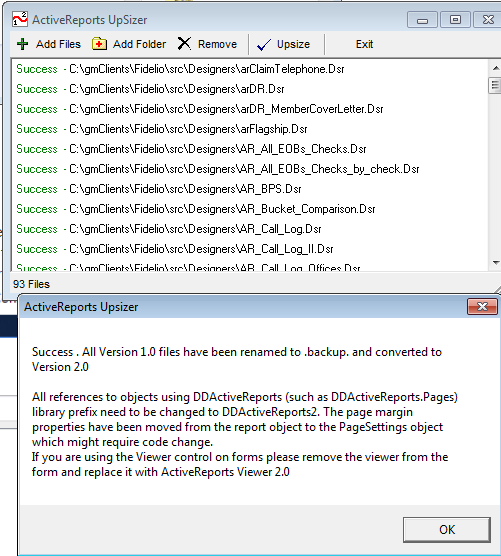 ---------------------------
ActiveReports Upsizer
---------------------------
Success . All Version 1.0 files have been renamed to .backup. and converted to Version 2.0